XGR Outputs Panel (UI Guide) — onValid / onInvalid + ExecutionBox
This guide documents the Outputs panel in the XRC‑137 Builder: configuring onValid and onInvalid branches, including ExecutionBox, Encrypt logs, and Log Grants.
Screenshots in this doc are placeholders using the full raw GitHub image path.
Replace only the filename at the end if you want to point to your own images.
1) Where you find it
The Outputs panel appears in the XRC‑137 Builder as two mirrored sections:
- onValid (left)
- onInvalid (right)
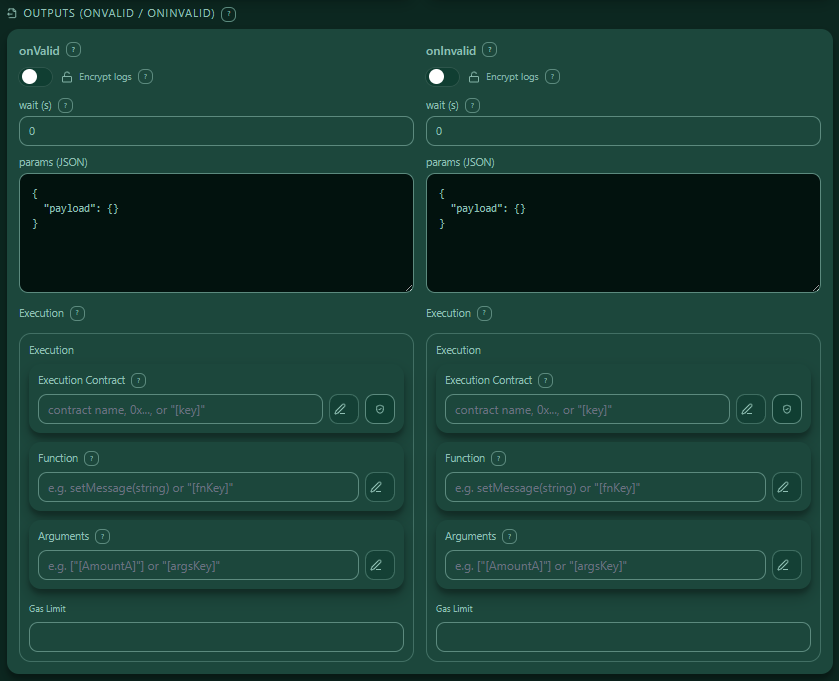
2) What an Output branch does
Each branch (onValid/onInvalid) defines what happens after a step has finished and the engine decided whether the result is valid or invalid.
A branch can include:
- wait (s) — delay before continuing with the next XRC‑137 / next process step
- params (JSON) — parameters passed forward
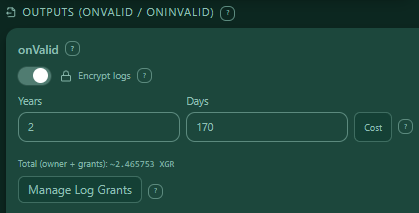
- Encrypt logs — make the branch output logs decryptable only for authorized wallets during a configured access window
- Manage Log Grants — define additional wallets that are allowed to decrypt those logs (and for how long)
- Execution — optional follow-up contract call (ExecutionBox)
3) wait (s) — delay before the next process step
wait (s) is not “wait before the branch starts”.
It is the time that passes after the branch outcome is chosen (onValid or onInvalid) until the next XRC‑137 / next process step is triggered in your overall flow.
Typical uses: - give off-chain systems time to catch up - rate limiting / throttling - spacing retries after an invalid branch

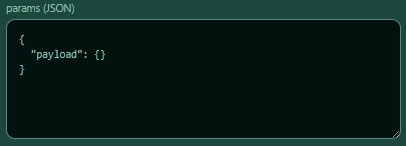
4) params (JSON)
Each branch has a params (JSON) viewer. This JSON becomes the inputs passed to the next step / next XRC‑137.
4.1 Placeholders + autocomplete
In relevant fields you can use placeholders in bracket syntax:
- Type
[to open the autocomplete - Insert keys from payload / contract reads / API extracts

5) Encrypt logs (optional)
When enabled, branch output logs are stored encrypted and can only be decrypted by wallets that currently have a valid grant.
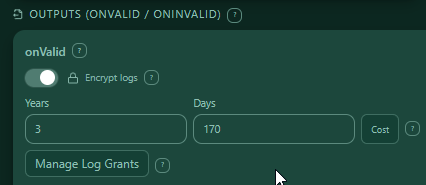
5.1 “Encrypted time” = how long a wallet grant stays valid
The Years / Days values in the branch encryption section define the access window for decryption:
- While the grant is valid, the wallet can decrypt the encrypted log “lock”.
- After the time expires, the wallet can no longer decrypt newly requested decryptions (the grant is expired).
- If a wallet already decrypted the data before expiry, the plaintext obviously remains in that wallet’s possession — the expiry controls grant validity, not “undoing” knowledge.
5.2 Days can be a number or a dynamic placeholder [key]
The Days input supports:
1) Numeric days (e.g. 30)
2) A pure placeholder like [expiryDays]
If Days is a placeholder: - Years becomes disabled/cleared (because the duration is dynamic) - Cost estimation uses an assumed 365 days for the estimate
![Days as [key]](https://raw.githubusercontent.com/xgr-network/XGR/main/pictures/ui/builder137/outputs-09-days-as-key.png)
5.3 Autosplit: type “900 days” → UI splits into years + days
If you type a large numeric number into Days, it will be split automatically:
- Example:
900days becomes2years +170days
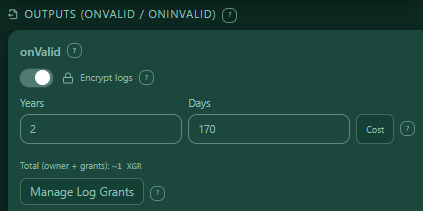
5.4 Cost estimation (storage fee)
The Cost button estimates the storage fee for the configured access window.
To calculate cost you must: - connect a wallet - select a chain/RPC in the WalletConnectPanel (wallet + chain are required inputs for quoting).
5.5 Turning encryption off clears grants (with confirm)
If you disable Encrypt logs while there are extra log grants, the UI will ask for confirmation and then remove those grants (because grants only make sense for encrypted logs).
6) Manage Log Grants (only when Encrypt logs is ON)
When encryption is ON, each branch offers Manage Log Grants.
These grants define which additional wallet addresses may decrypt logs (besides the owner), and for how long.
6.1 Single-branch editor
From Outputs, the LogGrants editor opens in single-branch mode: - it edits either onValid or onInvalid
6.2 Fields per grant row
Each grant row contains:
- Address
- either a full EVM address (
0x+ 40 hex) - or a placeholder
[key] - Rights
- READ (1), WRITE (2), MANAGE (4)
- Grant expiry
- Years + Days (numeric)
- or Days as a placeholder
[key](then Years is disabled)
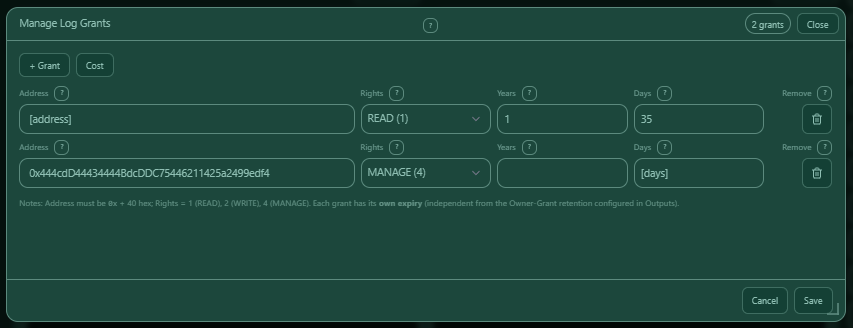
6.3 Autosplit in grant days (same behavior)
Just like branch time:
- entering a large numeric day count (e.g. 900) will autosplit into years + remaining days.
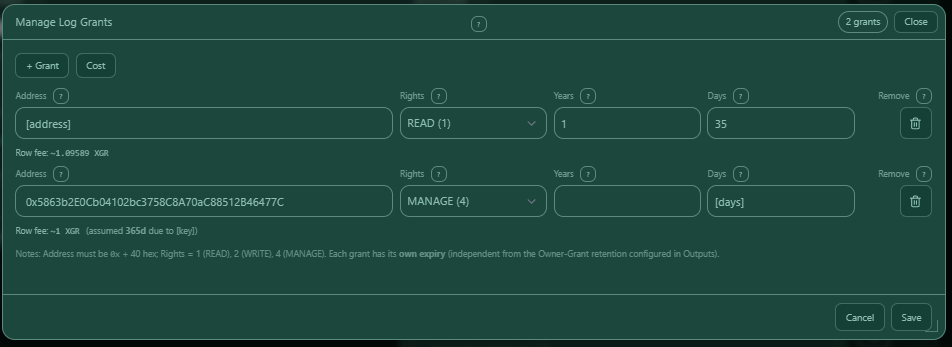
6.4 Grants cost estimation
Cost estimation is available in the grants panel as well.
If a grant row uses Days as [key], the estimate assumes 365 days for that row.
7) ExecutionBox (follow-up execution)
Each branch can include an Execution block (ExecutionBox) to call a contract after the branch.
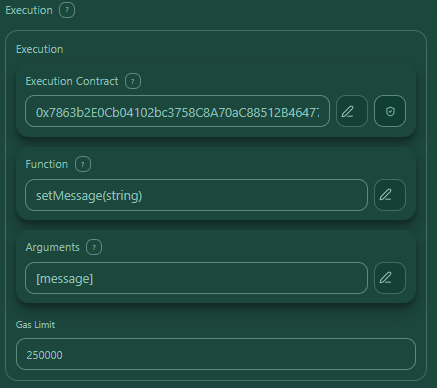
ExecutionBox contains: - Execution Contract - Function - Arguments - Gas Limit
7.1 OutputPayloadPanel-style edit panels (✏️)
Execution Contract / Function / Arguments use the same editor style:
- click the ✏️ icon
- a draggable + resizable modal opens
- type [ for autocomplete
- help pill explains placeholder usage
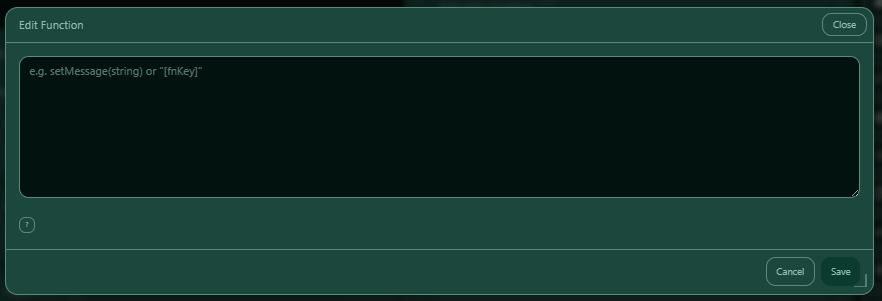
7.2 Execution Contract + on-chain check
- The shield button checks the entered contract address on-chain.
- Works only for full
0x…addresses (placeholders cannot be checked).
7.3 Function and Arguments
- Both support placeholders (
[key]). - Both are edited via a resizable modal editor.
7.4 Gas Limit
- Numeric only
- Clearing the input unsets gas limit
8) Example configurations
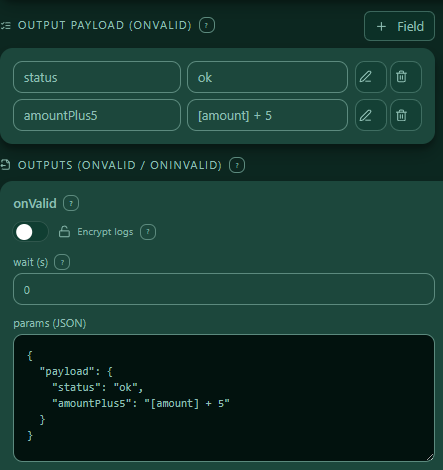
8.1 Example: onValid with params.payload + execution
{
  "onValid": {
    "waitSec": 0,
      "payload": {
        "status": "ok",
        "amountPlus5": "[amount] + 5"
      }
    },
    "execution": {
      "to": "0x0123...abcd",
      "function": "setMessage(string)",
      "args": "[message]",
      "gasLimit": 250000
    }
}
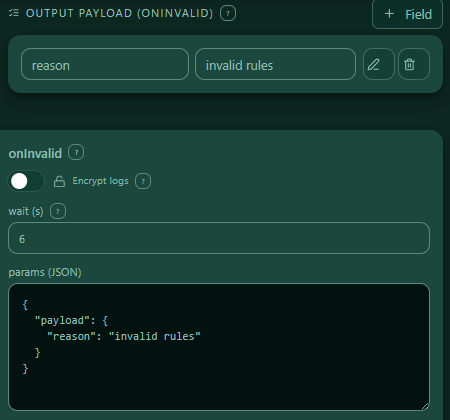
8.2 Example: onInvalid with delay before next step
{
  "onInvalid": {
    "payload": {
      "reason": "invalid rules"
    },
    "waitSec": 6
  },
  "onValid": {},
  "payload": {}
}
9) Troubleshooting tips
- Autocomplete shows nothing
- Ensure the key source exists (payload / contract reads / API extract), then type
[again. - Days becomes “dynamic” unexpectedly
- Only a pure bracket expression like
[someKey]is treated as dynamic Days. - Cost button doesn’t work
- Connect wallet + select chain/RPC in WalletConnectPanel first.
- Grant expired
- The wallet cannot decrypt after expiry; that does not “re-encrypt” anything already decrypted earlier.