XGR Update Rule — How to Update an Existing Contract
This guide explains the Update Rule panel (step 3 of 3 in the flow: Wallet → Deploy → Update). You can update a contract you just deployed, one you opened via the Contract Manager, or overwrite an existing contract by pasting its on-chain address.
Where Update Fits in the Flow
The builder shows your progress on the right: Wallet → Deploy → Update. Update becomes active as soon as the wallet is connected and you have selected a contract address (from the deploy result or from the Contract Manager).
What you see
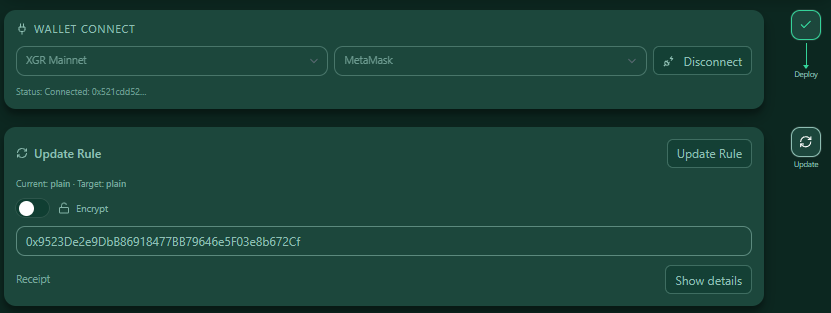 — A three-step flow; Update is highlighted once steps 1–2 are done, or when a contract address has been provided.
1) Prerequisites
- Wallet connected (step 1)
- A valid contract address (
0x…) to update
If a prerequisite is missing, the Update button is disabled and a short hint is shown below it.
2) Plain vs. Encrypted Update
You can write your rule plain (without encryption) or encrypted:
- Plain update: Sends the rule JSON directly to the contract (no grants, no encryption).
- Encrypted update: Enable Encrypt before clicking Update Rule. A one-click sequence runs:
1) Prepare encryption (off-chain; creates RID, suite, encrypted blob) → Permit required
2) Persistblob/suite/ridto your rule contract → (on-chain; sendspersistTx[])
Expiry controls how long your decryption right remains valid. In the UI you set Years/Days → this becomes an on-chain expireAt in the grants registry. Until then, a wallet with your verified Read-Key can unwrap the key and decrypt. After the expiry, the grant is inactive and apps/indexers refuse decryption by policy (you can extend access later by updating again with a new grant).
What you see (Encrypt on)
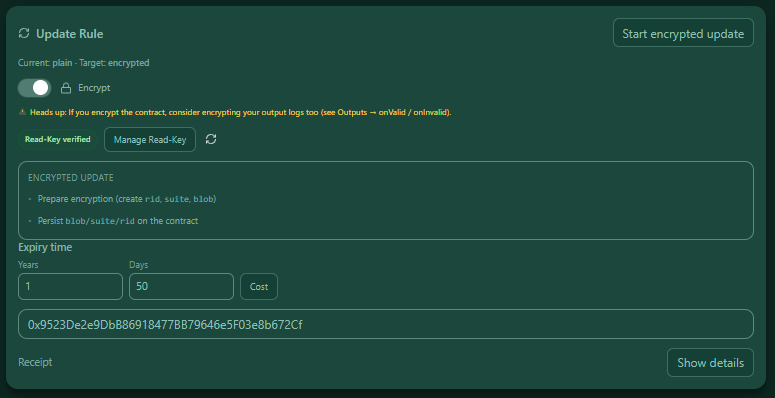 — Encryption enabled: a Read-Key status pill, Manage Read-Key, Refresh, Expiry time inputs, and a mini Encrypted update checklist that marks each step with a ✓ and shows live status.
3) Supported Scenarios
- Plain → Plain: Overwrite a plain contract with a new plain rule.
- Plain → Encrypted: Switch to encryption; choose Expiry and run the encrypted flow.
- Encrypted → Encrypted: Keep encryption; you can extend or shorten Expiry.
- Encrypted → Plain: Remove encryption by disabling Encrypt and sending a plain update (the previous grant is no longer used to read the new plain content).
Read-Key required: Encrypted updates require a verified Read-Key. Use Manage Read-Key to create/import and verify your key. If it is not verified, the button stays disabled.
4) Result & Receipt
After sending, you will see:
- Tx hash (with explorer link + copy)
- Optional encrypted flow ticks: prepare ✓, persist ✓
- Network label
- a collapsible Receipt (raw JSON)
What you see
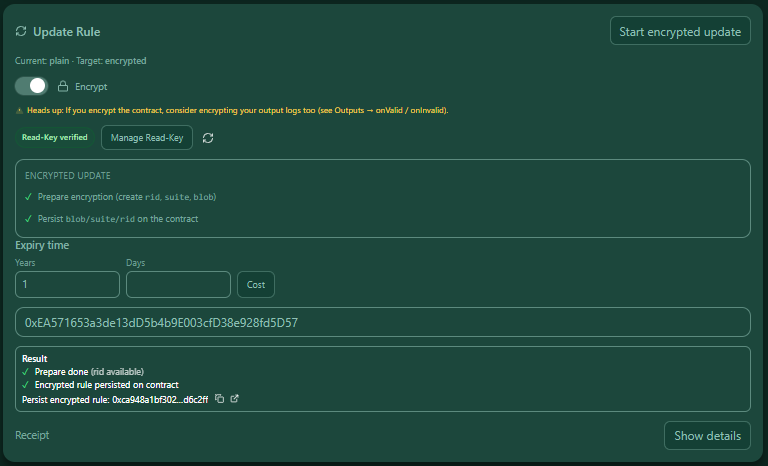 — Result box with the update Tx (and additional tx if encryption was used).
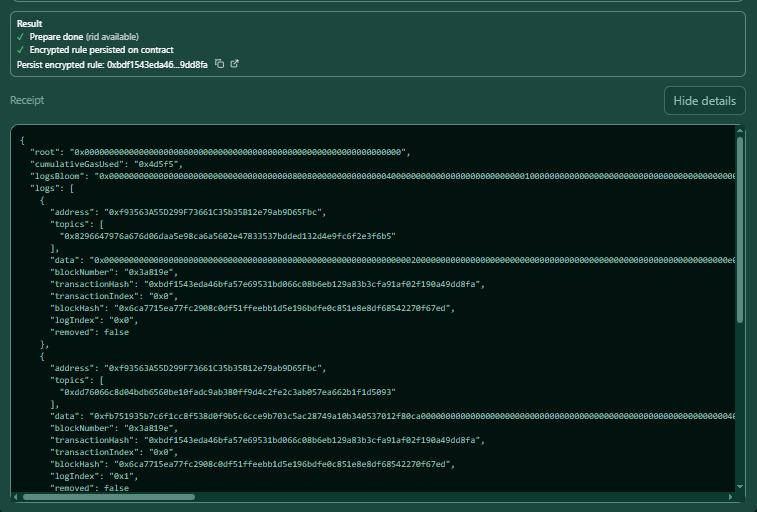 — Receipt details showing the full JSON.
FAQ
Can I update a contract I imported from the Contract Manager?
Yes. Paste or import the deployed address; the Update panel will use that address.
Do I have to use encryption?
No. Leave Encrypt off to send a plain update. You can switch between modes at any time.
What happens after expiry?
The owner grant becomes on-chain inactive, so clients refuse decryption by policy. Write a new grant (via an encrypted update) to extend access.