XGR OPS — Manage Session (Start a Session)
This guide explains how to use OPS → Manage Session to configure and start new orchestration sessions on the XGR network.
1) What you can do here
With Manage Session you can:
- Connect a wallet and select a chain (RPC).
- Start a session in two ways:
- Dialog flow: interactively load an XRC-729 orchestration contract, pick a start step, define the payload, configure WakeUp rules and optional secrets, then queue and start.
- Import flow: paste or upload a prepared session JSON (single object or array), validate against the chain, review staged drafts, and start all at once.
- Build a queue of sessions to start in sequence.
- Inspect a local log of successfully started sessions within the current browser session.
2) Key terms (quick)
- XRC-729: the on-chain orchestration contract that defines the workflow structure (steps and their rules).
- XRC-137: the rule contract for a specific step. It defines the payload schema (which fields are expected and what types they have).
- ostcId: a human-readable identifier string that selects the orchestration configuration within an XRC-729 contract.
- ostcHash: a
bytes32hash of the canonical OSTC JSON stored on-chain. Used to verify that the local session matches the on-chain definition exactly. - stepId: the identifier of the step at which the session starts.
- maxTotalGas: an upper bound on total gas the session is allowed to consume. Set to
0for no explicit limit. - payload: the input data delivered to the start step. Fields and types are defined by the XRC-137 rule contract.
- __wakeUp: an optional payload field that controls which addresses can wake up waiting steps (by internal call, XRC-137 forwarding, or RPC).
- __secret / __secret1 …: optional string tokens embedded in the payload for caller identification. They are never written to logs.
- Queue: a staging area that holds one or more configured sessions before they are submitted. Allows reviewing and re-editing before committing.
3) Step 1: Connect wallet + chain
This step is shared by both flows.
- Select the Chain (RPC environment).
- Select your Wallet.
- Click Connect.
Once connected, the chain and wallet address are locked in for the session start permit. The chain must be set here — the system will not fall back to any wallet-internal chain.
What you see
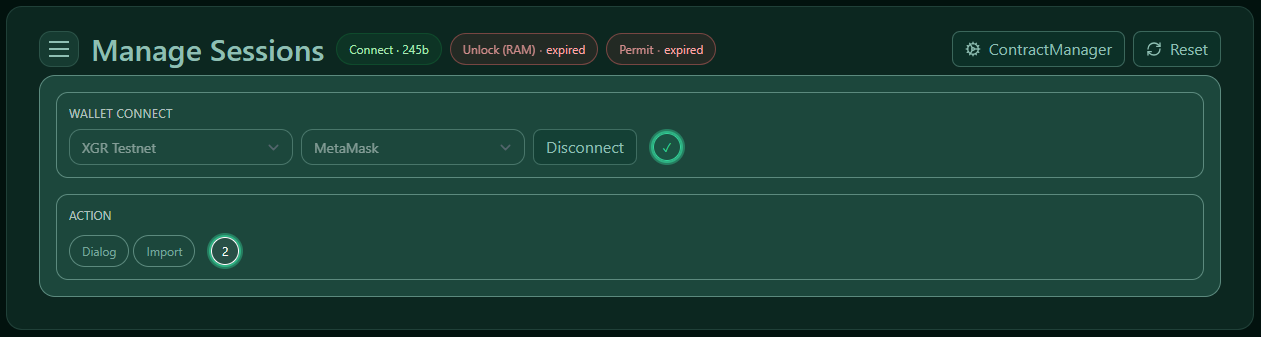 — Chain + wallet selection with the connect button and connection status.
4) Step 2: Choose a flow
After connecting you choose how you want to configure the session:
What you see (Dialog choice)
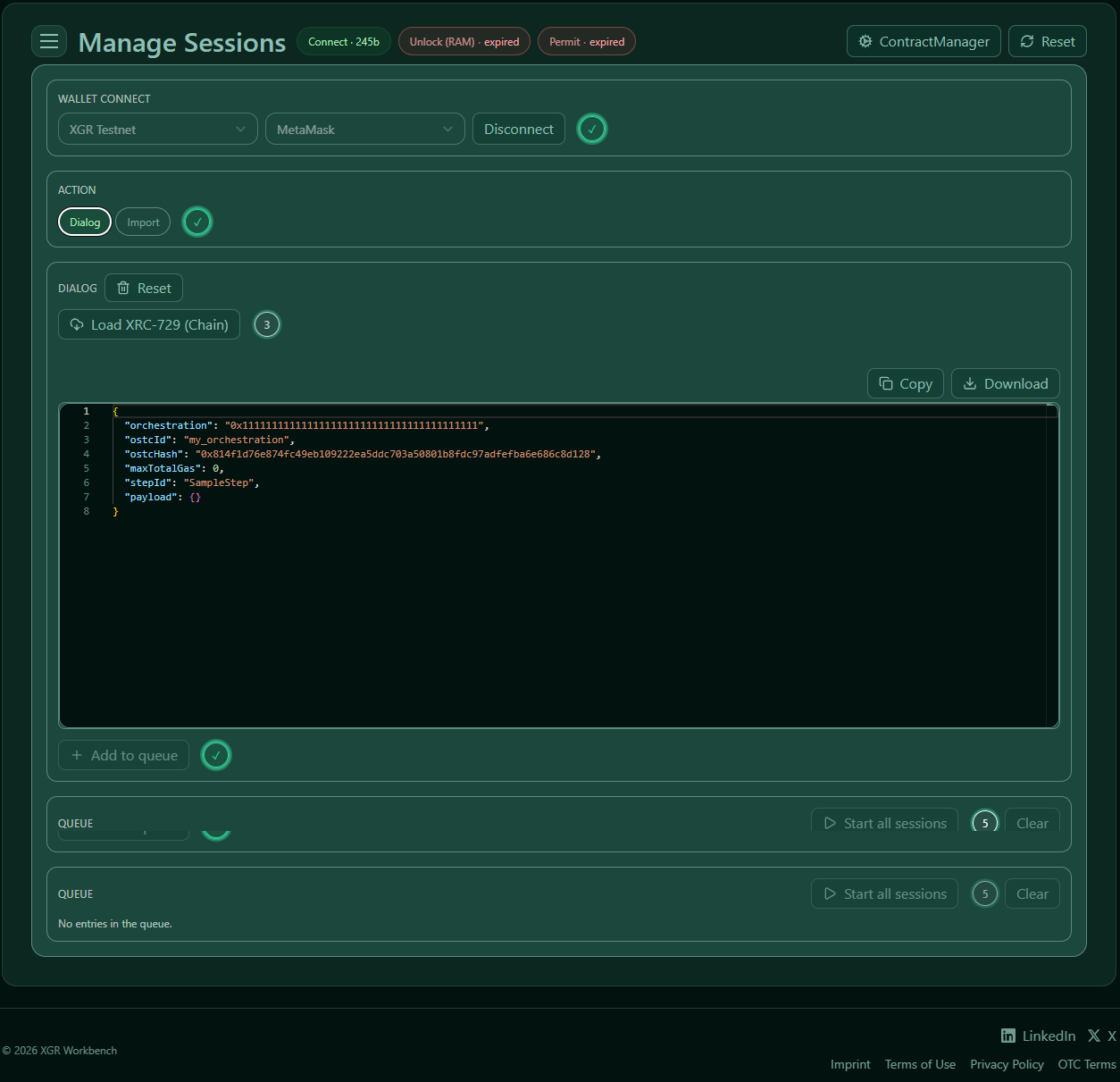 — Mode selection between Dialog and Import.
What you see (Import choice)
 — Import mode selected.
5) Dialog flow (step-by-step configuration)
Use this when you want to build the session configuration interactively — especially useful when you are working with a new orchestration or exploring available steps and payload fields.
5.1 Load XRC-729 from chain
Enter the XRC-729 orchestration contract address and click Load XRC-729 (Chain).
The system fetches the orchestration contract, reads the available steps and their rule addresses, and pre-fills the session config with the orchestration address, ostcId, and ostcHash.
What you see
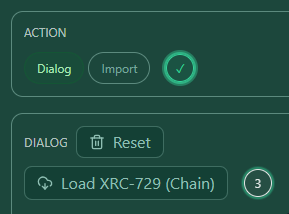 — XRC-729 address input and load button.
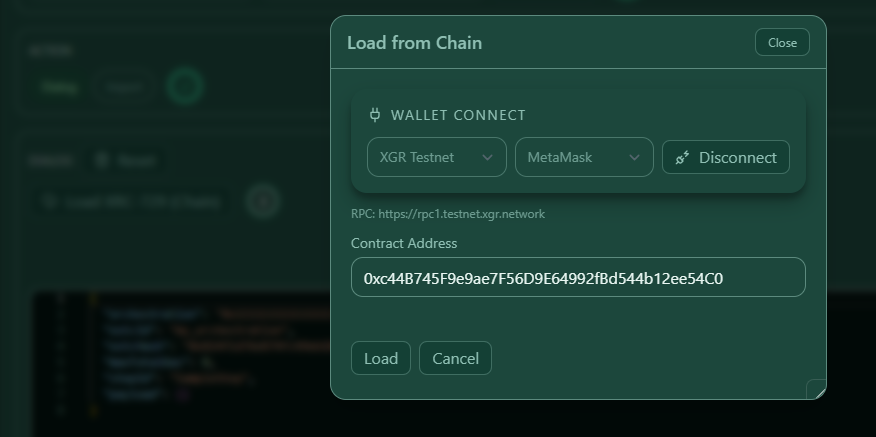 — XRC-729 loaded: contract details and resolved orchestration identifier are shown.
5.2 Choose the start step
Select the step from the dropdown. Only steps defined in the loaded XRC-729 structure are available.
After selection, the XRC-137 address for that step is displayed alongside the step identifier.
What you see
 — Step selector with XRC-137 address shown once a step is chosen.
5.3 Load XRC-137 payload schema
Click Load XRC-137 (Payload) to fetch the rule contract for the selected step.
This populates the payload form with the correct field names and types as defined on-chain. Without this step, you would need to fill payload fields manually.
What you see
 — Load XRC-137 button and confirmation that the schema has been loaded.
5.4 Fill payload fields
Once the XRC-137 schema is loaded, the payload fields appear. Fill them in according to the expected types (numbers or strings as shown).
Fields that are part of the rule schema are shown as form inputs. You can also see and edit the raw JSON representation.
What you see
 — Payload fields rendered from the XRC-137 schema with form inputs and layout toggle.
5.5 Configure WakeUp / AllowList (optional)
The WakeUp section controls which addresses are permitted to wake up waiting steps later.
There are two levels of configuration:
Default — applies to all waiting steps unless overridden: - internal.allow: addresses that may wake up the step via an internal call. - internal.fromXRC137: addresses that may wake up the step via XRC-137 forwarding. - rpc: addresses that may wake up the step via RPC call.
What you see (Default)
 — Default WakeUp configuration with the three allow categories.
Per-Step overrides — you can also define step-specific WakeUp rules for individual steps (by their step ID):
What you see (per-Step)
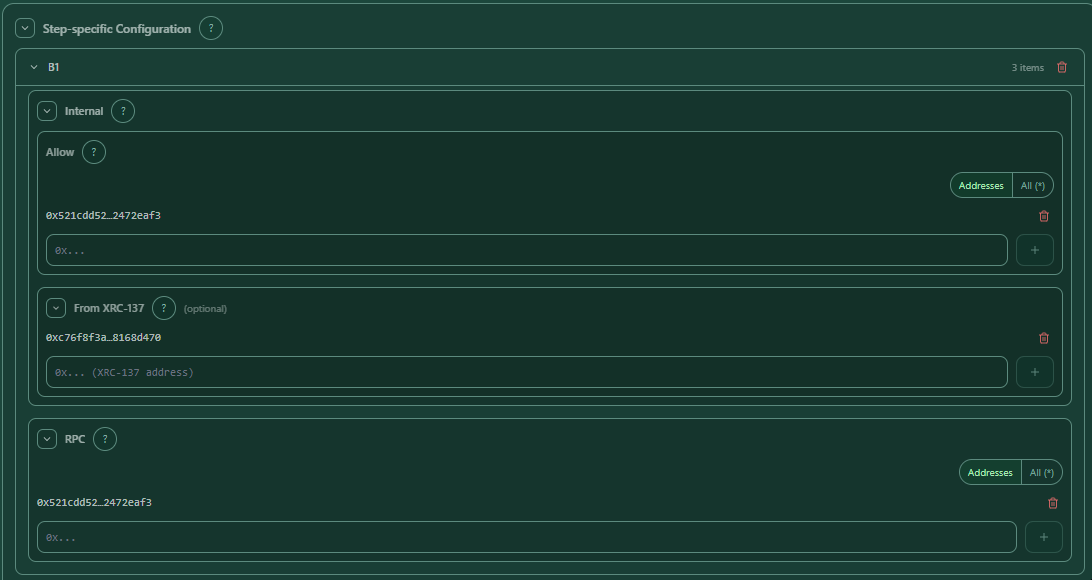 — Step-level WakeUp overrides for specific step IDs.
If you do not need to restrict who can wake up the session, you can leave this section empty.
5.6 Configure Secrets (optional)
Secrets are string tokens that are passed inside the payload under the reserved keys __secret, __secret1, __secret2, etc. They are used for caller identification and are never written to the session log.
Enable the Secrets section, then add one or more secret values. Each value must be a non-empty string of up to 512 characters without control characters.
What you see
 — Secret fields with enable toggle and add/remove controls.
5.7 Add to queue
Once XRC-729, a start step, and (optionally) the payload are set, click Add to Queue.
The session configuration is staged in the queue for review before starting. You can add multiple sessions to the queue and start them all in one go.
What you see
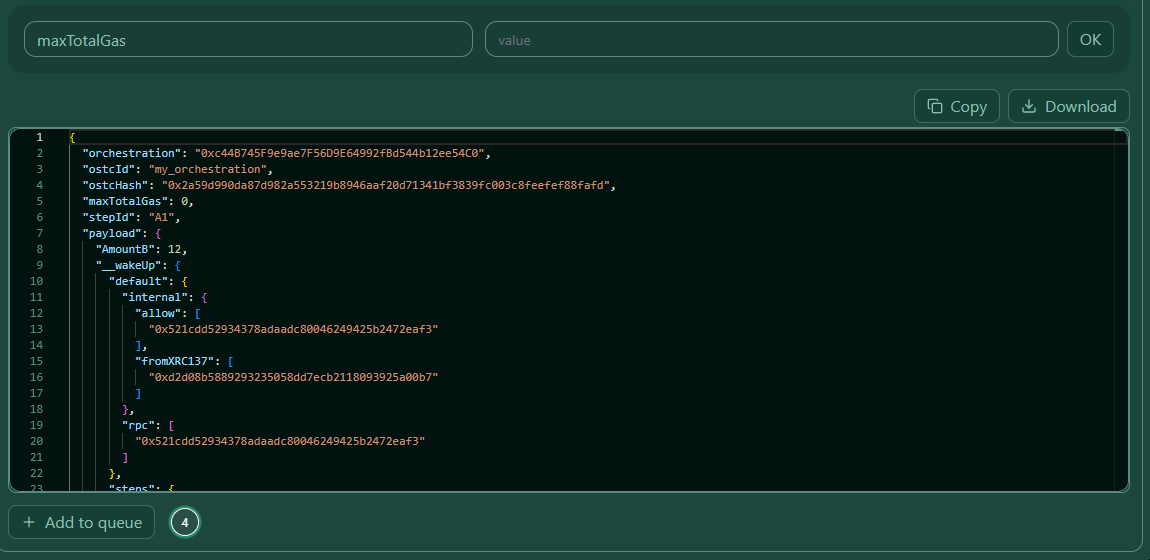 — Queue with the staged session entry and available actions.
5.8 Re-edit a queued session (optional)
You can click the edit icon on any queue entry to reopen the configuration dialog for that item, make changes, and save them back to the queue.
What you see
 — Queue entry open for editing.
6) Import flow (JSON-based configuration)
Use this when you have a prepared session JSON — for example, an exported configuration, a template, or a batch of sessions to start together.
6.1 Import the JSON
In Import mode, paste your JSON directly into the editor or use Import JSON/Array to upload a .json file.
The JSON can be a single session object or an array of session objects. The minimum required fields for each session are:
{
  "orchestration": "0x<XRC-729 contract address>",
  "ostcId": "my_orchestration",
  "ostcHash": "0x<32-byte hex hash>",
  "maxTotalGas": 0,
  "stepId": "A1",
  "payload": {}
}
What you see
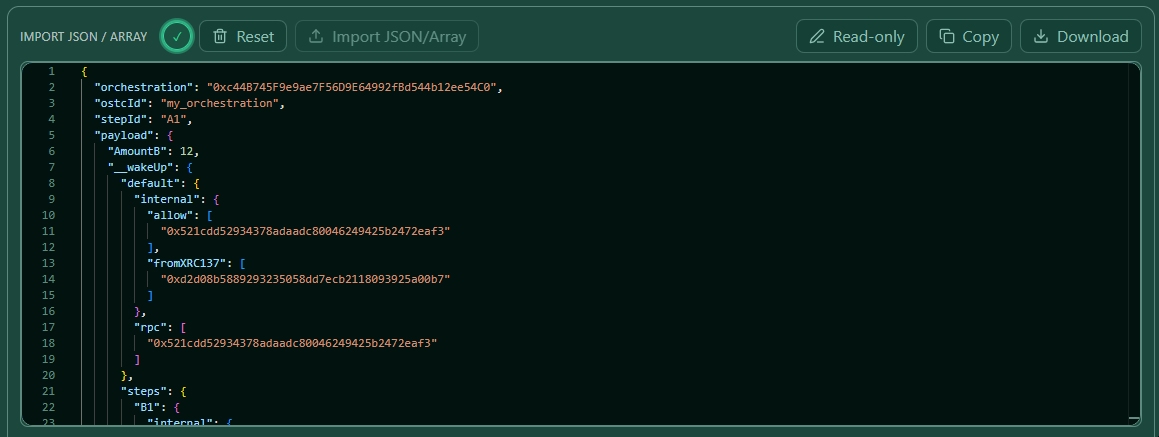 — JSON editor with the import button and a loaded session.
Tip: You can download your current queue as a JSON snapshot using the "Show queue JSON snapshot" link. This is useful for saving and re-importing a batch.
6.2 Validate + Stage
Click Validate + Stage to run on-chain validation for each session in the editor.
The system checks:
- The orchestration address is a valid 20-byte hex address.
- The ostcId exists in the XRC-729 contract.
- The stepId exists in the loaded XRC-729 structure.
- The ostcHash matches the canonical hash of the on-chain OSTC JSON.
- maxTotalGas is a non-negative integer.
- Payload fields match the XRC-137 schema (missing fields are reported as warnings).
- __wakeUp configuration, if present, is valid.
- __secret values, if present, are non-empty strings within the allowed length.
Each session is shown as a draft card with a valid (green) or error (red) state. Warnings are shown in amber.
What you see
 — Validate + Stage in progress with per-session status.
6.3 Review staged drafts
After validation, the draft cards appear below the editor. Each card shows the orchestration address, step, status, and any warnings or errors.
- Valid drafts (green) can be added to the queue individually or all at once.
- Drafts with errors (red) must be edited before they can proceed. Click the edit icon to fix them.
- Drafts with warnings (amber) can still be queued; the warning is informational.
What you see
 — Staged draft cards with status indicators and queue/edit actions.
7) Start Session (both flows)
Once one or more sessions are in the queue, click Start Session (or Start All for the full queue).
For each queued session, the system:
1. Fetches the nextProcessId for your wallet.
2. Builds an EIP-712 SessionPermit (signed by your wallet).
3. Submits the session via xgr_validateDataTransfer.
You will be prompted to sign once per session in your wallet.
What you see
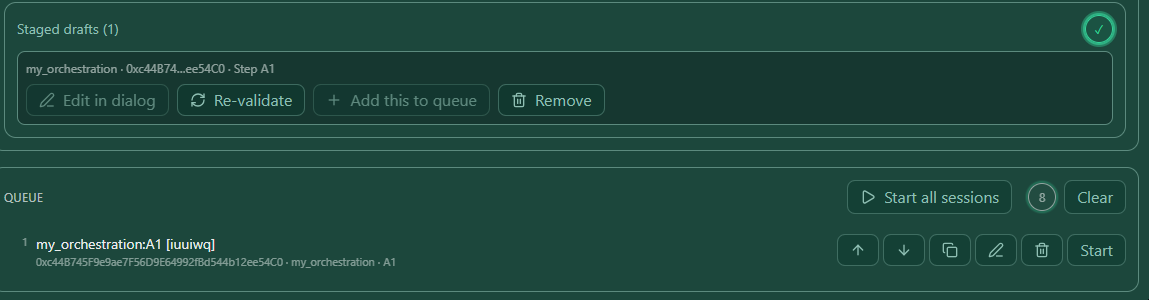 — Queue with the Start Session / Start All button.
7.1 Session started
After a successful start you see a confirmation entry in the Started Sessions log at the bottom of the page. Each entry captures:
- Session ID and timestamp
- Starter (wallet address)
- XRC-729 and XRC-137 addresses
- Step ID
- Payload snapshot (secrets are always stripped from this log)
What you see
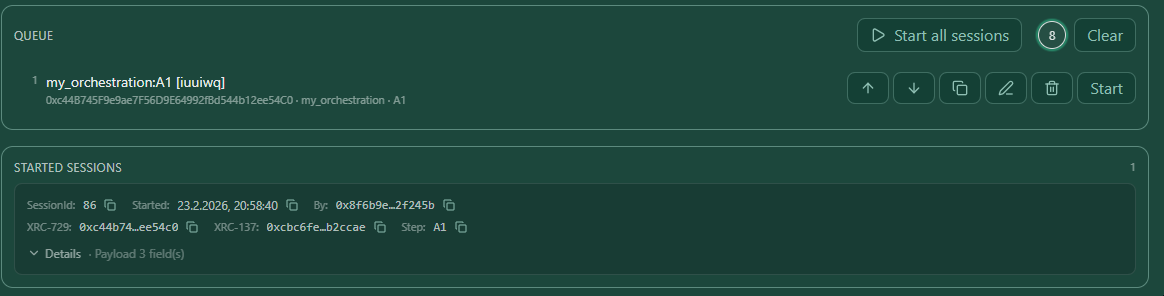 — Started Sessions log with the new entry.
8) Session JSON reference
Below is a fully annotated example of a valid session JSON as used by the Import flow:
{
  "orchestration": "0xc44B745F9e9ae7F56D9E64992fBd544b12ee54C0",
  "ostcId": "my_orchestration",
  "stepId": "A1",
  "payload": {
    "AmountB": 12,
    "__wakeUp": {
      "default": {
        "internal": {
          "allow": [
            "0x521cdd52934378adaadc80046249425b2472eaf3"
          ],
          "fromXRC137": [
            "0xd2d08b5889293235058dd7ecb2118093925a00b7"
          ]
        },
        "rpc": [
          "0x521cdd52934378adaadc80046249425b2472eaf3"
        ]
      },
      "steps": {
        "B1": {
          "internal": {
            "allow": [
              "0x521cdd52934378adaadc80046249425b2472eaf3"
            ],
            "fromXRC137": [
              "0xc76f8f3a71c11db0f498cc3a5bf2221e8168d470"
            ]
          },
          "rpc": [
            "0x521cdd52934378adaadc80046249425b2472eaf3"
          ]
        }
      }
    },
    "__secret": "TestSecret",
    "__secret1": "TestSecret_"
  },
  "ostcHash": "0x2a59d990da87d982a553219b8946aaf20d71341bf3839fc003c8feefef88fafd",
  "maxTotalGas": 0
}
| Field | Required | Description |
|---|---|---|
orchestration |
✓ | XRC-729 contract address (0x + 40 hex chars) |
ostcId |
✓ | Orchestration identifier string as registered in the XRC-729 contract |
stepId |
✓ | Start step identifier as defined in the XRC-729 structure |
payload |
— | Input data for the start step. Fields must match the XRC-137 schema. |
payload.__wakeUp |
— | WakeUp / AllowList configuration (see Section 5.5) |
payload.__secret … |
— | Caller identification tokens. Stripped from all logs. |
ostcHash |
— | bytes32 canonical hash of the on-chain OSTC JSON. Validated if present. |
maxTotalGas |
— | Maximum total gas for the session. Use 0 for no limit. |
9) Troubleshooting
"OPS chainId is missing"
Make sure you have completed Step 1 (wallet + chain connected) before trying to start a session. The system requires the chain to be set explicitly via the OPS connection, not from the wallet itself.
"OSTC id not found"
The ostcId in your session JSON does not exist in the specified orchestration contract on the selected chain. Double-check the orchestration address and the ostcId.
"ostcHash does not match"
The ostcHash in your session JSON does not match the canonical hash of the on-chain OSTC JSON. Either remove the ostcHash field to skip this check or re-load the XRC-729 from chain to get the correct hash.
"Step does not exist in XRC-729"
The stepId you specified is not defined in the loaded XRC-729 structure. Use Load XRC-729 (Chain) in Dialog mode to see available step identifiers.
Payload fields are empty after loading XRC-137
The XRC-137 rule contract could not be decrypted or returned no payload schema. This can happen with encrypted rule contracts. If the system shows a decrypt dialog, follow the prompted steps before reloading.
Wallet signing prompt does not appear
Make sure your wallet is unlocked and on the correct network. Also confirm that popup blockers are not preventing the signing dialog from appearing.
Validation passes but Start Session fails
The SessionPermit has a default expiry of 20 minutes. If you queued sessions and waited too long before clicking Start, the permit may have expired. Add the sessions to the queue again and start without delay.
10) Notes for teams (multi-user)
- The queue is local to your browser session and is not shared with other users.
- Secrets (
__secret,__secret1…) are sent to the engine but are never stored in the UI log. Do not rely on them as a replacement for proper access control. - When starting a batch via Import, keep the number of sessions per batch manageable. Very large arrays may slow down the on-chain validation phase.
- The Started Sessions log is also local and resets when you reload the page or reset the form.